Printable PECS Cards for Autism (Free PDF)
Build sentences on the digital PECS board, save the pictograms that matter, and print them on an A4 sheet — the same cards on paper and on screen.
Paper cards and a digital board that match
The Picture Exchange Communication System starts with something physical: the learner hands a card to a partner and receives what they asked for. That is why printable PECS cards remain essential in the first phases. AutismDock's PECS board uses ARASAAC pictograms with a sentence strip and voice output, and DockyPrint lays out the pictograms saved for a child on an A4 sheet you can print or save as PDF — so home, school and therapy share the same vocabulary.
Key benefits
A4 print sheet
Three cards per row, ready to cut and laminate.
ARASAAC pictograms
Clear, consistent symbols organised by category.
Digital twin
The same pictograms speak out loud in the app.
Shared vocabulary
Consistent cards at home, school and clinic.
What's included
- Digital PECS board with pictograms organised by category.
- Sentence strip with voice output.
- Pictogram sheets prepared per child profile.
- A4 printing, or Save as PDF from the print dialog.
- App available in English, Spanish, French, Arabic and Chinese.
- Free digital use with a daily limit; printing on Essential or Premium.
See What You Can Create
Little pictures. Meaningful connections. Our own familiar illustrations bring everyday words to life, on screen and on paper.
Pictogram sheet
Example vocabulary · A4
AutismDock

I need help

Eat

Water

Go

Mum
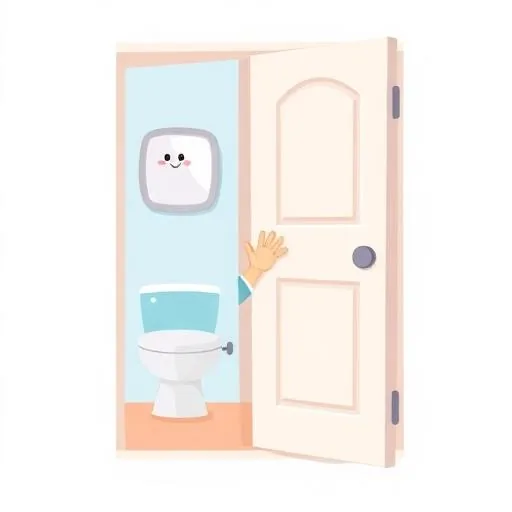
Toilet

Stop

I'm hungry

Thank you
An example using AutismDock’s own AAC and PECS illustrations. DockyPrint prints the vocabulary saved to your profile; your sheet reflects your saved words and images.
How it works in 3 steps
- 1
Open the PECS board
Sign in and open the PECS tool in AutismDock. Pick pictograms by category and build sentences on the strip.
- 2
Personalise your set
Choose the pictograms that matter to your child and save them to their profile, together with their personal vocabulary.
- 3
Print or save as PDF
Open DockyPrint, choose the pictogram sheet and print it on A4 — or pick “Save as PDF” in the print dialog (Essential or Premium plan).
Start your printable PECS set
Open the PECS board, choose your pictograms and print them when you are ready.
Create Your Free Printable CardsFrequently asked questions
Where can I get printable PECS cards?+
AutismDock includes a digital PECS board built on ARASAAC pictograms. The pictograms you save can be laid out on an A4 sheet in DockyPrint and printed, or saved as a PDF from your browser's print dialog.
What size should PECS cards be?+
Many programmes start with cards around 5 cm (2 inches). AutismDock's printable sheet places three cards per row on A4 paper, which gives cards of roughly that size, ready to cut and laminate.
How many cards do I need to start?+
Phase 1 usually starts with a handful of highly motivating items — favourite foods, toys or activities. Add categories such as feelings, people and places only once exchanges are consistent.
Printable cards or a digital PECS board?+
Paper cards are excellent for the early exchange phases because handing over a physical card is part of the learning. A digital board scales better later on, never loses cards and speaks the sentence out loud.
Is it free?+
The digital PECS board can be used for free with a daily usage limit. Printing and downloading materials require the Essential or Premium plan.
Can therapists use them with several children?+
Yes. Pictogram sheets are prepared for the selected child profile, so professionals and families can print consistent materials for home and clinic.